
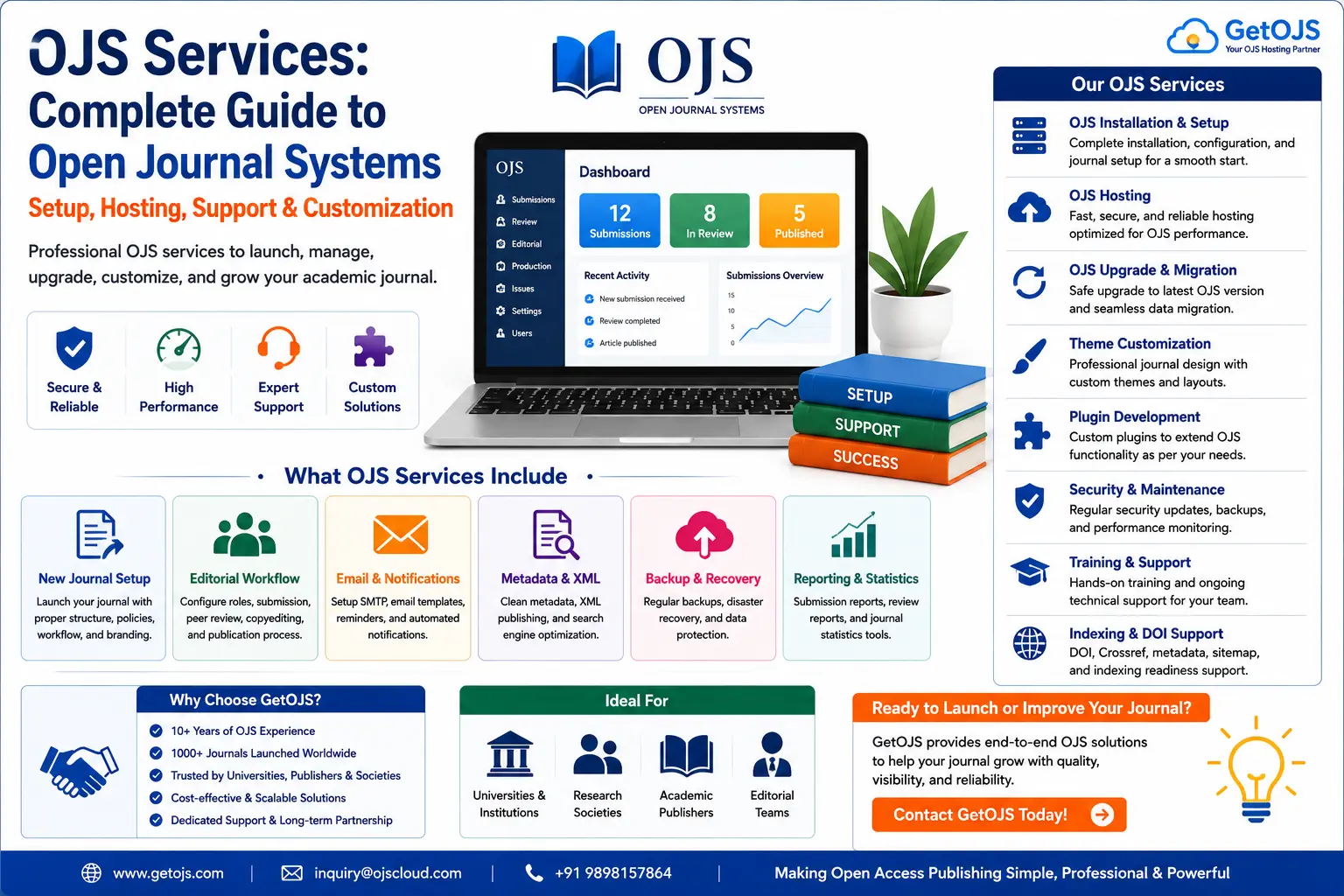
Open Journal Systems is one of the most widely used platforms for scholarly publishing, but launching a successful journal requires more than simply installing the software. A reliable journal website needs correct configuration, secure hosting, editorial workflow setup, theme customization, plugin management, email delivery, backups, and ongoing support. That is where professional OJS services become important.
What Are OJS Services?
OJS services are technical and publishing-support services designed for journals that use Open Journal Systems. These services may include OJS installation, journal setup, hosting, upgrade, migration, theme design, plugin development, editorial workflow configuration, indexing support, DOI setup, email configuration, security maintenance, and training for journal teams.
For a new journal, OJS services help convert an academic idea into a working online publishing platform. For an existing journal, they help improve speed, security, appearance, editorial workflow, metadata quality, and long-term maintainability. A journal may have strong academic content, but if the website is slow, outdated, difficult to use, or incorrectly configured, authors and readers may lose trust. Professional OJS support ensures the platform matches the quality of the journal.
Why OJS Matters for Academic Journals
Open Journal Systems supports the full publishing process from submission to publication. Authors can submit manuscripts, editors can assign reviewers, reviewers can send recommendations, copyeditors can prepare accepted papers, production teams can upload final galleys, and readers can access published articles online. Because OJS combines website management with editorial workflow, it is especially useful for universities, societies, research institutions, and independent academic publishers.
A well-configured OJS journal can improve transparency, reduce manual email handling, maintain editorial records, organize issues and volumes, expose metadata to search engines, and support open access publishing. However, OJS is not a simple brochure website. It has roles, permissions, submission stages, plugins, scheduled tasks, files directories, database settings, and security requirements. Without proper setup, journals may face broken uploads, email issues, poor mobile layout, duplicate metadata, failed upgrades, or reviewer workflow confusion.
Core OJS Services Every Journal Should Understand
Different journals need different levels of support, but most OJS projects include a combination of the following services.
1. OJS Installation and Initial Setup
OJS installation is the first technical step. It includes uploading the software, creating the database, configuring file storage, setting permissions, connecting the domain, enabling SSL, and completing the first admin setup. After installation, the journal settings must be configured carefully: journal name, initials, contact details, principal contact, technical contact, publisher information, languages, sections, submission settings, email templates, and user roles.
A correct installation avoids future errors. For example, the files directory should be protected from public access, database credentials should be secure, and server limits should support PDF uploads and editorial file handling. GetOJS helps journals start with a clean structure instead of fixing avoidable problems later.
2. Managed OJS Hosting
OJS hosting is different from basic web hosting. A journal website may handle article PDFs, metadata, reviewer files, email notifications, search indexing, backups, and traffic spikes during issue releases. Managed OJS hosting focuses on compatibility, stability, security, and support for the publishing workflow.
Good OJS hosting should include SSL, server-side backups, database protection, PHP compatibility, enough storage, reliable email sending, file upload support, caching strategy, malware monitoring, and upgrade-friendly configuration. Poor hosting can cause slow article pages, failed submissions, timeout errors, and broken admin actions. For journals, downtime is not just a technical inconvenience; it can affect submissions, indexing, and author confidence.
3. OJS Theme Design and Branding
A journal website must look credible and be easy to navigate. OJS theme services include homepage layout design, logo placement, journal colors, typography, article page styling, mobile responsiveness, footer design, menu structure, announcement display, issue archive layout, and accessibility improvements.
A strong OJS theme does not only look attractive. It helps readers find current issues, archives, submission guidelines, editorial board details, publication ethics, indexing information, and contact pages. For academic journals, design should support trust and readability. A theme with heavy animation, poor contrast, or confusing navigation may harm the journal even if it looks modern.
4. OJS Plugin Installation and Development
Plugins extend OJS functionality. Common plugin-related tasks include installing DOI plugins, Crossref export, ORCID support, citation tools, statistics, indexing metadata plugins, custom blocks, themes, language plugins, payment plugins, and editorial workflow tools. However, every plugin should be reviewed for compatibility with the journal’s OJS version.
Installing too many plugins can create conflicts, slow pages, or break upgrades. GetOJS recommends using only the plugins that clearly support the journal’s workflow. When a required feature is not available in existing plugins, custom OJS plugin development may be needed. This can include new reports, custom article display, additional metadata fields, reviewer certificates, payment workflows, or special export formats.
5. OJS Upgrade and Future-Proofing
OJS upgrades are important for security, compatibility, and new features. Many journals continue using old versions because they are afraid of losing customizations or breaking the website. This can become risky over time because outdated OJS versions may not support newer PHP versions, may contain security issues, and may not work well with modern plugins.
An OJS upgrade should be planned properly. The process usually includes full backup, test upgrade on a staging copy, plugin compatibility check, theme review, database migration, error log review, file permission verification, and final live deployment. A safe upgrade is never only a button click. It requires checking the complete journal workflow after the upgrade: login, submission, review, copyediting, production, issue publishing, PDF access, email delivery, and search.
6. OJS Migration from Old Systems
Many journals move to OJS from static websites, WordPress, old OJS versions, institutional portals, or custom journal systems. Migration may include transferring articles, PDFs, issues, volumes, authors, abstracts, keywords, references, DOI information, editorial board pages, announcements, and journal policies.
Good migration protects both content and URL structure. If old article URLs disappear without redirects, search visibility and citations may be affected. If metadata is imported incorrectly, indexing services may receive incomplete information. GetOJS migration support focuses on preserving article identity, organizing issues correctly, and reducing disruption for readers and authors.
Editorial Workflow Support in OJS
OJS is powerful because it supports editorial workflow, but many teams need guidance to use it properly. Workflow support includes configuring roles such as journal manager, editor, section editor, reviewer, author, copyeditor, layout editor, and proofreader. It also includes setting up submission stages, review rounds, review forms, editor assignments, decision emails, copyediting steps, production tasks, and publication scheduling.
A journal can choose a simple workflow or a detailed workflow depending on its team size. Smaller journals may want a streamlined editorial process, while larger journals may need clear responsibility at every stage. The goal is to prevent manuscripts from getting lost and to create a clean editorial record from submission to publication.
Security, Backup, and Maintenance Services
OJS journals are public-facing websites and should be maintained like serious digital publishing infrastructure. Security services may include malware scanning, file permission hardening, admin account review, spam control, captcha setup, login protection, regular updates, backup testing, and server monitoring.
Backups are especially important. A useful backup strategy should include both database and files directory backups. The database stores users, submissions, metadata, settings, and workflow records. The files directory stores manuscript files, review files, galleys, issue files, and public assets. Losing either one can damage the journal. A professional support plan should also include restoration testing because a backup is only useful if it can actually be restored.
Metadata, DOI, Indexing, and Discoverability
Modern journal publishing depends heavily on metadata. OJS article records should include accurate titles, abstracts, keywords, authors, affiliations, ORCID IDs, references, publication dates, issue information, languages, and DOIs where applicable. Clean metadata helps Google Scholar, Crossref, OpenAIRE, repositories, library systems, and indexing databases understand the journal’s content.
GetOJS can help journals configure DOI workflows, Crossref metadata exports, article landing pages, XML publishing support, sitemap behavior, canonical URLs, and indexing-friendly article pages. Search visibility does not depend only on SEO text. It also depends on technical structure, stable URLs, article metadata, PDF accessibility, and consistent journal information across pages.
Training for Journal Managers, Editors, Authors, and Reviewers
Even a perfectly configured OJS website can fail if the team does not know how to use it. Training is a key part of professional OJS services. Journal managers need to understand settings, users, roles, plugins, issue creation, and publishing. Editors need to understand submission assignment, review rounds, editorial decisions, and production movement. Reviewers need to know how to accept review invitations, download files, submit comments, and provide recommendations. Authors need guidance on registration, submission steps, revisions, and communication.
Short role-based training is usually more effective than one long session for everyone. GetOJS recommends preparing simple internal checklists for repeated tasks such as creating an issue, publishing an article, assigning a reviewer, checking metadata, or updating an editorial board page.
When Should a Journal Hire OJS Support?
A journal should consider professional OJS services when it is launching a new journal, moving from another platform, upgrading from an old OJS version, facing email or upload issues, planning DOI integration, redesigning the website, preparing for indexing, improving security, or training a new editorial team.
Support is also useful after a journal has been running for several years. Over time, many OJS websites collect unused plugins, old themes, outdated PHP settings, broken pages, heavy files, and inconsistent metadata. A technical audit can identify these issues before they become serious problems.
GetOJS Approach to OJS Services
GetOJS focuses on building journals that are practical, maintainable, and publishing-ready. The aim is not only to create a visually appealing website, but to support the full journal lifecycle: setup, submission, review, publication, indexing, maintenance, and growth. A good OJS service partner should understand both technology and scholarly publishing.
Our work commonly includes new journal setup, OJS hosting, OJS upgrade, OJS migration, custom theme development, plugin configuration, DOI support, editorial workflow setup, metadata review, page customization, training, troubleshooting, and ongoing maintenance. Whether you are starting a new open access journal or improving an existing platform, the right OJS support can save time, reduce risk, and improve the experience for authors, editors, reviewers, and readers.
OJS Services Checklist Before Launch
- Install the correct OJS version on compatible hosting.
- Configure journal identity, contacts, sections, languages, and policies.
- Set up user roles for journal manager, editors, reviewers, and authors.
- Test submission, review, copyediting, production, and publication workflow.
- Check email delivery for submission, review, and editorial notifications.
- Apply a responsive and readable journal theme.
- Install only necessary plugins and document their purpose.
- Prepare backups, security settings, and maintenance plan.
- Review article metadata, DOI process, and indexing readiness.
- Train the editorial team before opening submissions publicly.
Frequently Asked Questions
What is included in OJS services?
OJS services may include installation, hosting, setup, theme customization, plugin configuration, upgrade, migration, security, backups, DOI support, indexing support, workflow configuration, troubleshooting, and training.
Is OJS suitable for new journals?
Yes. OJS is suitable for new journals because it supports submissions, peer review, issue publishing, archives, article metadata, user roles, and open access publishing from one platform.
Can GetOJS migrate an old journal to OJS?
Yes. GetOJS can help migrate journal content from old websites, older OJS versions, or other publishing systems while preserving article organization and metadata as much as possible.
Do I need managed hosting for OJS?
Managed hosting is recommended if your team does not want to handle server maintenance, backups, security, PHP compatibility, and technical troubleshooting on its own.
Can OJS be customized for journal branding?
Yes. OJS can be customized with journal colors, logos, homepage sections, article styling, menus, custom pages, footer content, and responsive design improvements.
How often should OJS be upgraded?
OJS should be reviewed regularly for security and compatibility. Major upgrades should be planned carefully with backup, staging testing, plugin review, and post-upgrade workflow testing.
Final Recommendation
OJS is a strong platform for academic publishing, but it performs best when it is configured and maintained properly. A journal website should be fast, secure, clear, mobile-friendly, easy for authors, useful for editors, and understandable for indexing systems. Professional OJS services help journals reach that standard without forcing editorial teams to solve every technical problem themselves.
If you are planning a new journal, upgrading an old OJS website, improving your editorial workflow, or preparing your journal for better visibility, GetOJS can help you build a stable and professional publishing platform.
Need OJS setup, hosting, migration, or customization?
GetOJS can help configure, migrate, secure, customize, and maintain your Open Journal Systems website.