
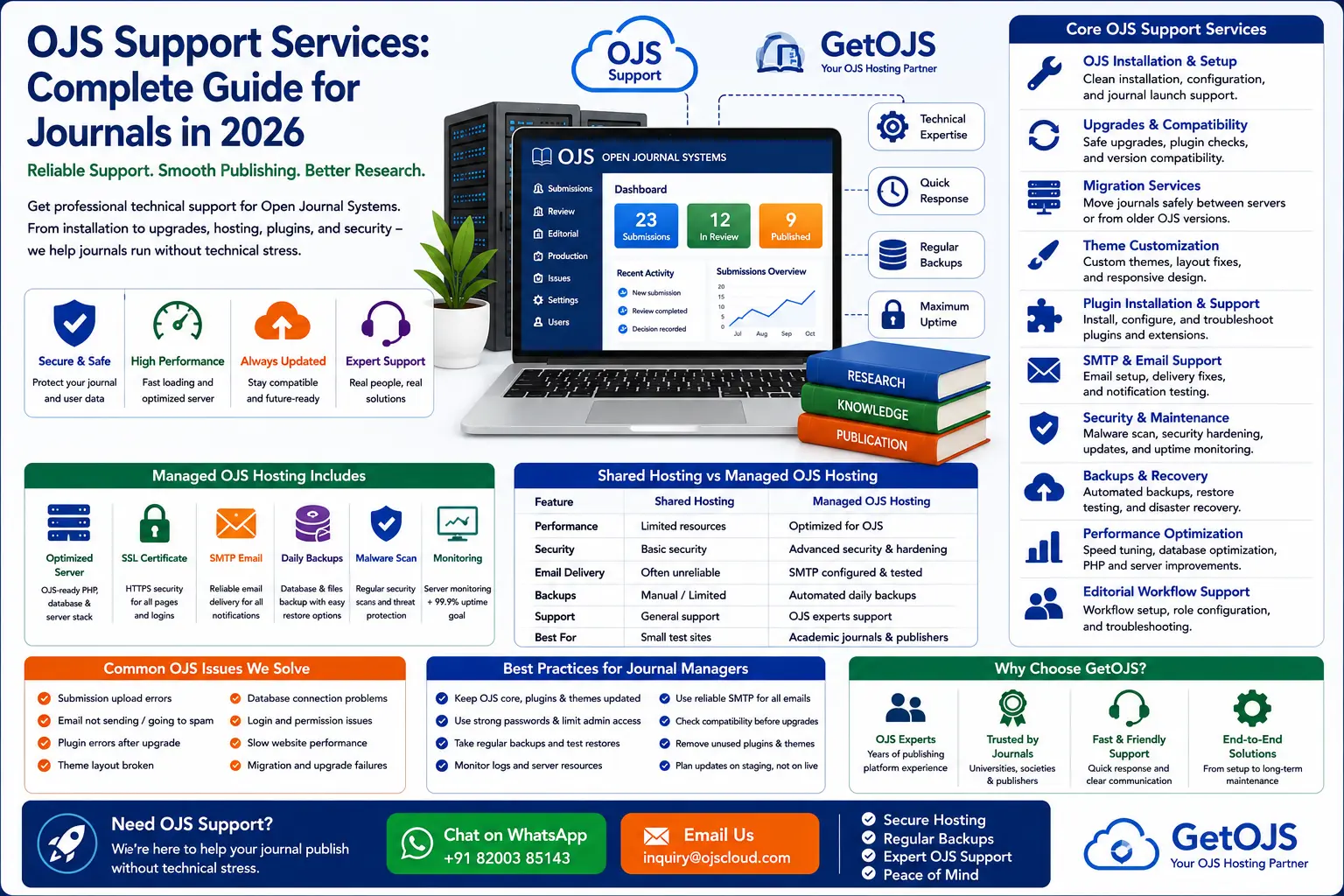
Open Journal Systems is a powerful platform for managing scholarly journals, but a successful OJS website needs more than installation. It needs reliable technical support, secure hosting, regular updates, stable email delivery, clean workflow settings, functional plugins, responsive design, and a team that understands how academic publishing actually works.
What are OJS support services?
OJS support services are professional technical and publishing support activities that keep an Open Journal Systems website running correctly. These services may include OJS installation, server configuration, upgrade support, plugin setup, theme customization, migration, backup management, SMTP configuration, security hardening, performance optimization, metadata checks, indexing preparation, and editorial workflow troubleshooting.
For a journal manager, OJS support is not only about fixing errors after they happen. Good support prevents problems before they affect authors, reviewers, editors, and readers. A small issue such as failed email delivery, incorrect file permissions, an outdated plugin, or a broken article page can slow down the entire publication process. This is why many universities, scholarly societies, and independent publishers prefer working with an experienced OJS support partner like GetOJS.
Why OJS support matters for academic journals
An academic journal website has different requirements from a normal business website. A journal must accept submissions, assign editors, manage peer review, publish issues, display article metadata, serve PDF files, send editorial notifications, protect author data, and preserve published records for long-term access. If one part fails, the journal's credibility can suffer.
- Authors need a smooth submission process without upload or login errors.
- Editors need reliable workflow screens, review rounds, decisions, and production tools.
- Reviewers need clear email invitations, secure file access, and easy recommendation forms.
- Readers need fast article pages, working PDF links, searchable archives, and clean metadata.
OJS support services help each of these user groups by maintaining the technical foundation behind the journal. This includes server health, application updates, database stability, plugin compatibility, security patches, and user-facing design improvements.
Core OJS support services offered by GetOJS
GetOJS provides end-to-end support for journals using Open Journal Systems. Whether you are launching a new journal, maintaining an existing journal, migrating from another server, or upgrading from an older version, the support plan should match the journal's real publishing needs.
1. OJS installation and initial setup
A correct installation is the foundation of a stable journal. OJS installation includes preparing the server, configuring PHP extensions, setting up the database, creating the files directory, applying secure permissions, configuring the base URL, and completing the first journal setup. GetOJS can also configure journal name, abbreviation, ISSN fields, publisher details, contact email, sections, roles, languages, and basic workflow settings.
2. OJS hosting and server support
OJS performs best on hosting that is configured for its file structure, database operations, scheduled tasks, and email workflows. Generic shared hosting may work for small journals, but larger journals often need optimized cloud hosting, VPS hosting, or managed OJS hosting. GetOJS can help with server selection, hosting setup, SSL installation, PHP version compatibility, database optimization, cron jobs, file storage, backup strategy, and uptime monitoring.
3. OJS upgrade support
OJS upgrades are important for security, performance, and compatibility. However, upgrading without proper preparation can cause plugin errors, theme breaks, database migration issues, and broken workflow screens. A safe OJS upgrade usually includes a full backup, staging copy, compatibility review, plugin audit, theme check, database upgrade, testing, and final deployment. GetOJS recommends testing upgrades in a separate environment before touching the live journal.
4. OJS migration services
Journal migration may be required when moving to a better server, changing hosting providers, consolidating journals, or upgrading from OJS 2.x or older OJS 3.x versions. Migration support includes database transfer, public files transfer, submission files transfer, config review, URL checks, user account testing, article galley testing, email testing, and redirect planning. A careful migration protects published articles, submission history, editorial decisions, and user records.
5. Theme customization and mobile fixes
A journal's design should look credible, but it should also remain usable. GetOJS supports theme customization for header layout, footer design, homepage sections, article pages, issue pages, journal navigation, color schemes, typography, responsive layouts, and accessibility improvements. Mobile responsiveness is especially important because authors, reviewers, and readers often access journal pages from phones and tablets.
6. Plugin installation and troubleshooting
Plugins extend OJS functionality, but every plugin should be checked before use. Some plugins are version-specific, some are abandoned, and some may conflict with the active theme or another plugin. GetOJS can help install and configure plugins such as DOI, Crossref export, ORCID, statistics, custom blocks, indexing tools, metadata exports, citation tools, language tools, and reporting plugins. Plugin support also includes fixing initialization errors, broken settings pages, and compatibility issues after upgrades.
7. Email and SMTP configuration
Email is one of the most important parts of OJS. Submission acknowledgements, review invitations, revision requests, editorial decisions, copyediting notifications, and publication alerts all depend on proper email delivery. OJS support may include SMTP setup, SPF/DKIM/DMARC guidance, Gmail or transactional email configuration, bounced email troubleshooting, template review, and testing of key workflow emails.
8. Security hardening and malware cleanup
OJS journals often contain valuable data and public upload paths. Security support should include file permission checks, admin account review, plugin audit, update planning, backup verification, server log review, malware scanning, protection of the files directory, and safe upload handling. If a journal has already been compromised, GetOJS can help identify suspicious files, clean infected folders, restore safe files, and recommend preventive steps.
Managed OJS support vs one-time troubleshooting
Some journals only request help when an error occurs. Others prefer ongoing managed support. Both approaches can work, but they serve different needs.
| Support Type | Best For | What It Includes |
|---|---|---|
| One-time OJS support | Specific errors or urgent fixes | Bug fixing, plugin issue, theme problem, email error, upgrade issue |
| Managed OJS support | Active journals with regular publishing | Monitoring, updates, backups, security checks, workflow help, ongoing support |
| Project-based OJS support | Migration, upgrade, redesign, or setup | Planned execution, testing, launch support, documentation |
Common OJS problems that require support
OJS errors may appear in many ways. Some are visible to users, while others appear only in logs. Common support requests include blank pages, plugin loading errors, failed uploads, broken PDF links, email not sending, DOI deposit errors, role permission issues, missing submissions, slow dashboard performance, login problems, multilingual display errors, and layout breaks after theme changes.
Many of these problems are connected. For example, an upgrade can affect a plugin, the plugin can affect a template, and the template can break an article page. A support team that understands OJS architecture can trace the root cause instead of only applying surface-level fixes.
OJS support checklist for journal managers
Before choosing an OJS support provider, journal managers should confirm that the provider understands both technology and publishing. Use this checklist:
- Can they safely handle OJS upgrades and database backups?
- Do they understand OJS editorial workflow, not just PHP hosting?
- Can they troubleshoot plugins, themes, files, SMTP, and server logs?
- Do they test changes on staging before applying them to live journals?
- Can they support metadata, DOI, indexing, and article publication workflows?
- Do they document important changes for the journal team?
How GetOJS helps journals work smoothly
GetOJS focuses on practical support for real journal operations. The goal is not only to keep the website online, but to help the journal publish without unnecessary technical delays. Our team can support OJS installation, hosting, migration, upgrade, plugin configuration, theme customization, journal setup, DOI workflow, metadata improvement, security hardening, and editorial training.
For new journals, GetOJS can help create a clean publishing foundation. For established journals, we can stabilize existing systems, fix recurring issues, improve performance, and plan safe upgrades. For publishers managing multiple journals, we can help standardize hosting, design, plugins, backup policies, and support processes.
Best practices for long-term OJS maintenance
OJS maintenance should be planned, not random. A journal should maintain a regular backup schedule, review user roles, remove unused plugins, monitor email delivery, check article pages after theme edits, update OJS safely, and keep documentation for major changes. Journals should also avoid making direct changes to core files unless absolutely necessary. Customizations are safer when they are handled through child themes, plugins, or documented template overrides.
Another important practice is to keep a staging copy. A staging site allows the support team to test upgrades, plugins, layout changes, and workflow settings before applying them to the live journal. This reduces downtime and protects published content.
Frequently asked questions
What is included in OJS support services?
OJS support services can include installation, hosting, upgrades, migration, backups, plugin setup, theme customization, SMTP configuration, security checks, performance optimization, workflow troubleshooting, and technical guidance for editors and journal managers.
Can GetOJS fix a broken OJS website?
Yes. GetOJS can investigate broken pages, plugin errors, theme issues, upload problems, email failures, migration errors, and server-related problems. The exact fix depends on the OJS version, server environment, error logs, and recent changes.
Is OJS support needed after installation?
Yes, most journals need support after installation because OJS requires updates, backups, email checks, plugin maintenance, security review, workflow adjustments, and occasional troubleshooting as the journal grows.
Can GetOJS support multilingual journals?
Yes. GetOJS can assist with multilingual journal setup, locale configuration, language switching, translated navigation, metadata display, and theme adjustments for multilingual publishing.
Can OJS support help with indexing and DOI setup?
Yes. GetOJS can help prepare metadata, configure DOI settings, review article pages, support Crossref or DOI workflows, and improve technical readiness for indexing and discovery services.
Need reliable OJS support?
GetOJS can help you install, upgrade, migrate, secure, customize, and maintain your Open Journal Systems website.