
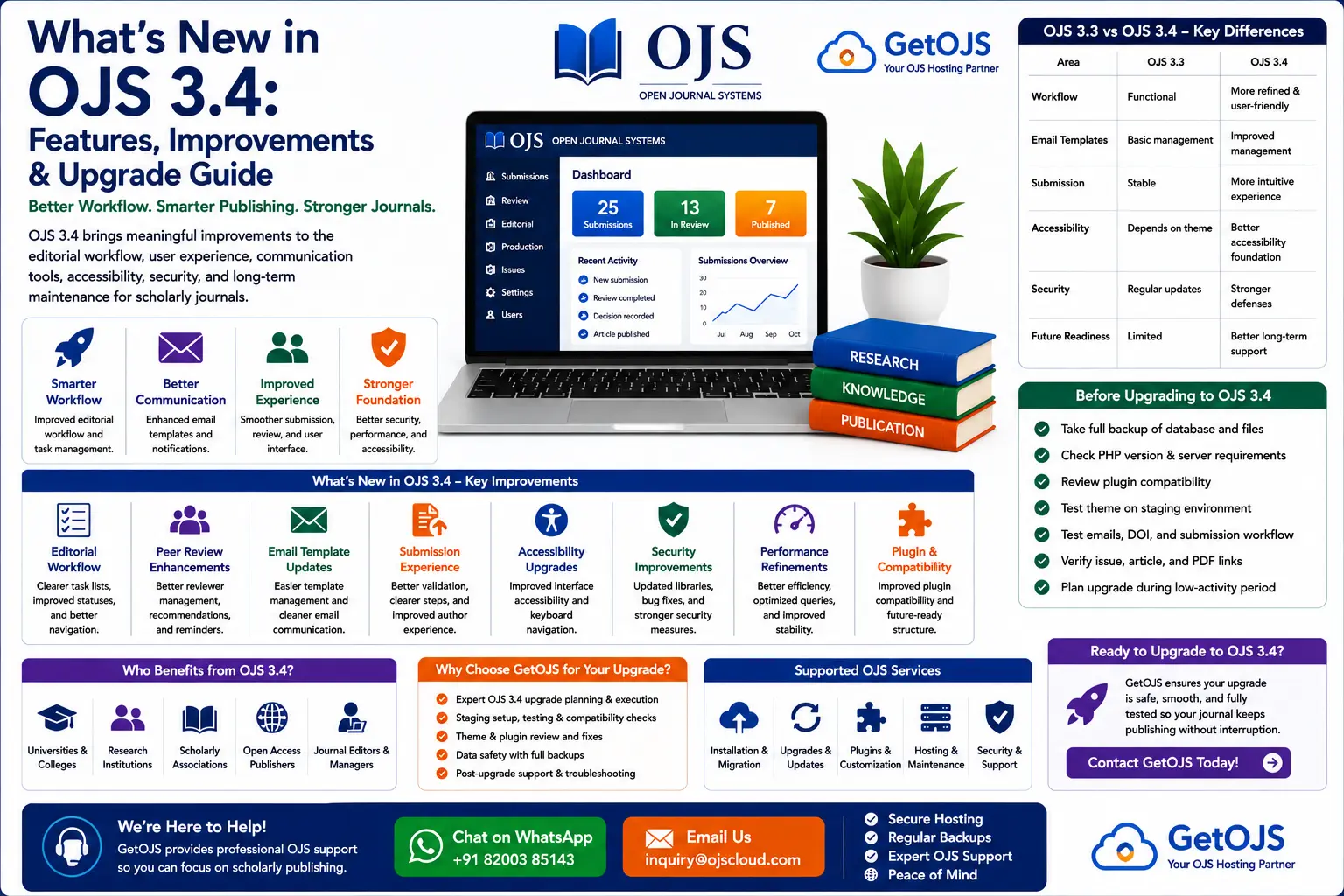
Open Journal Systems 3.4 is an important release for journals that want a more stable, modern, and editor-friendly publishing platform. If your journal is currently using OJS 3.3 or an older version, OJS 3.4 is worth reviewing because it improves several areas that affect daily editorial work, author submission experience, communication, accessibility, and long-term maintenance.
What is OJS 3.4?
OJS 3.4 is a newer generation of Open Journal Systems, the open-source journal management platform used by publishers, universities, scholarly societies, and independent journals. The version builds on the OJS 3.x interface and brings refinements that make the system easier to manage for journal managers, editors, authors, reviewers, and production teams.
For many journals, the reason to upgrade is not just one single feature. The benefit comes from a combination of improved usability, better technical stability, cleaner workflows, updated dependencies, improved security, and better readiness for future OJS versions. A properly planned upgrade can make the journal easier to operate and safer to maintain.
Why OJS 3.4 matters for journal teams
Scientific publishing depends on reliability. Editors need to know where each manuscript is in the workflow. Authors need a simple submission process. Reviewers need easy access to files and review tasks. Journal managers need stable settings, plugins, themes, email templates, and publication tools. OJS 3.4 improves the experience around these needs.
For journals still using OJS 3.3, upgrading to OJS 3.4 can also be part of a long-term maintenance plan. Older versions may continue to work for some time, but they eventually become harder to support as server environments, PHP versions, plugins, themes, and security requirements change.
Main improvements in OJS 3.4
1. Improved editorial workflow experience
The editorial workflow is the heart of OJS. It is where editors screen submissions, assign participants, request reviews, make decisions, manage revisions, send files to copyediting, prepare production files, and schedule publication. OJS 3.4 improves the way editorial tasks are presented so editors can work with less confusion.
Editors benefit from a clearer view of submission stages and workflow progress. This is especially helpful for journals that handle many manuscripts each month or work with multiple section editors. A cleaner workflow view reduces the time spent searching for the next action and helps avoid delays caused by missed tasks.
2. Better peer review handling
Peer review is one of the most sensitive parts of academic publishing. OJS 3.4 continues improving the review experience by making review assignments and communication easier to follow. Editors can manage reviewer invitations, reminders, recommendations, and review rounds with a more structured process.
For reviewers, a smoother review dashboard can reduce confusion when downloading files, submitting comments, or choosing a recommendation. For editors, better tracking makes it easier to see whether a review is pending, completed, overdue, or ready for decision. This helps journals improve response times and maintain peer-review quality.
3. Enhanced email template management
Email templates are essential in OJS because almost every publishing action creates communication. Submission acknowledgements, review invitations, review reminders, revision requests, copyediting discussions, acceptance letters, rejection letters, and publication notices all depend on email templates.
OJS 3.4 makes email template management more practical for journal teams. The goal is to reduce the need for direct code changes and allow journal managers to maintain clearer communication from the OJS dashboard. This is important because poorly written or outdated email templates can confuse authors and reviewers.
Journals should review email templates after upgrading. Check sender name, journal name, submission title variables, author names, reviewer instructions, decision language, deadlines, and support contact details. A good upgrade project should include email testing before the site goes live.
4. Better author submission experience
The submission form is usually an author’s first direct interaction with the journal system. If the process is confusing, authors may abandon the submission or contact the editorial office repeatedly. OJS 3.4 improves the overall submission experience by focusing on clearer steps, better validation, and easier navigation.
A stronger submission process helps authors enter title, abstract, keywords, contributors, metadata, files, and confirmation details more accurately. This reduces editorial cleanup later. Clean metadata at submission stage also supports DOI registration, indexing readiness, Google Scholar discoverability, and article page quality.
5. More user-friendly interface
OJS 3.4 continues the move toward a more modern and practical interface. A better interface is not only a visual improvement; it directly affects productivity. When editors can quickly find tasks and authors can easily complete submissions, the journal saves time and reduces support requests.
Cleaner screens also help new users learn OJS faster. This matters for journals with changing editorial boards, rotating student assistants, volunteer reviewers, or multiple language teams. A simpler interface means less training time and fewer workflow mistakes.
6. Accessibility improvements
Accessibility is becoming increasingly important for scholarly publishing websites. A journal should be usable by readers, authors, reviewers, and editors with different devices, screen sizes, and accessibility needs. OJS 3.4 includes improvements that support a more accessible platform experience.
Journal managers should still check their own theme, colors, font sizes, contrast, forms, headings, and navigation after upgrading. Accessibility is affected not only by OJS core, but also by custom themes, uploaded content, PDF quality, and custom pages.
7. Performance and stability improvements
Performance matters because slow journal websites affect authors, reviewers, readers, search engines, and indexing crawlers. OJS 3.4 includes technical improvements that can help provide a more stable foundation, especially when combined with optimized hosting.
However, upgrading alone does not guarantee a fast website. Journals should also review hosting resources, database performance, cache configuration, image sizes, plugin load, theme quality, and server settings. GetOJS can help review the complete environment so the upgraded journal performs well in real use.
8. Security improvements
Security is one of the most important reasons to keep OJS updated. Academic journals manage user accounts, author details, submission files, editorial discussions, reviewer comments, and published archives. An outdated journal system can become a risk if security patches are not applied.
OJS 3.4 includes updates that help strengthen the platform. A secure upgrade should also include server checks, file permission review, removal of unused plugins, admin account review, backup verification, and malware scanning where needed.
OJS 3.3 vs OJS 3.4: what changes for journals?
For editors, the most visible differences are related to workflow usability, communication, and submission experience. For technical teams, the important changes involve compatibility, dependencies, security, and maintainability. The table below summarizes the practical differences.
| Area | OJS 3.3 | OJS 3.4 |
|---|---|---|
| Editorial workflow | Functional but may feel less refined | Improved workflow usability and clearer task handling |
| Email templates | Template management available with older structure | More practical communication management for journal teams |
| Submission experience | Stable submission process | Improved usability and clearer author experience |
| Accessibility | Depends heavily on theme and configuration | Better foundation for accessible publishing workflows |
| Technical maintenance | Older environment support | Better long-term upgrade path and security posture |
What to check before upgrading to OJS 3.4
An OJS upgrade should never be done casually on a live journal. The safest upgrade process begins with a full review of the current installation. This includes the OJS version, PHP version, database type, active theme, custom templates, plugins, uploaded files, scheduled tasks, DOI settings, SMTP settings, and server limits.
- Take a full database and files backup before any upgrade work.
- Create a staging copy and test the upgrade away from the live site.
- Review all active plugins for OJS 3.4 compatibility.
- Check whether the current theme needs updates or template fixes.
- Test submission workflow, peer review, email sending, DOI, and article pages.
- Confirm that published PDF links, issue pages, and archives still work correctly.
Common upgrade risks
The most common OJS upgrade problems are plugin errors, theme layout breaks, failed database migrations, missing files, incorrect file permissions, broken email settings, and custom code conflicts. These issues can usually be avoided with careful preparation and testing.
If your journal has custom theme files, custom plugins, modified core files, or old third-party plugins, the upgrade should be handled with extra care. A staging upgrade helps identify these problems before they affect authors and editors.
How GetOJS helps with OJS 3.4 upgrades
GetOJS provides professional OJS upgrade support for journals moving from OJS 3.3 or older versions to OJS 3.4. Our process focuses on safety, compatibility, and minimal disruption to journal operations.
- Pre-upgrade audit of OJS version, server, plugins, theme, and files.
- Full backup planning before any upgrade activity.
- Staging upgrade to identify errors before live deployment.
- Plugin and theme compatibility checks.
- Testing of submissions, review workflow, emails, article pages, and published galleys.
- Final live upgrade and post-upgrade support.
Should every journal upgrade immediately?
Not every journal needs to upgrade on the same day a new version is available. The right time depends on your publishing schedule, technical condition, hosting environment, active customizations, and editorial workload. A journal with a stable OJS 3.3 installation may plan the upgrade between publication cycles. A journal with security concerns, outdated plugins, or server compatibility issues may need to upgrade sooner.
The best approach is to plan the upgrade, not rush it. GetOJS can help review your current system and recommend whether to upgrade now, prepare the server first, replace unsupported plugins, or redesign the theme as part of the upgrade.
Frequently asked questions
What is OJS 3.4?
OJS 3.4 is a newer version of Open Journal Systems that improves workflow usability, submission experience, communication tools, accessibility, security, performance, and long-term maintainability for journal websites.
Is OJS 3.4 better than OJS 3.3?
Yes, OJS 3.4 offers a better foundation for journals that want improved usability, stronger maintenance, updated security, and a cleaner path for future upgrades. However, each journal should test plugins and themes before upgrading.
Can I upgrade OJS 3.3 to OJS 3.4 directly?
Many OJS 3.3 journals can be upgraded to OJS 3.4, but the process should be tested first. Always check server requirements, backup the database and files, test plugins, and verify the theme before applying the upgrade to the live website.
Will my custom OJS theme work after upgrade?
It depends on how the theme was built. Some themes may need template updates, CSS fixes, or compatibility changes after moving to OJS 3.4.
Can GetOJS upgrade my journal safely?
Yes. GetOJS can audit your current OJS installation, create a safe upgrade plan, test the upgrade on staging, fix compatibility issues, and deploy OJS 3.4 on your live journal.
Planning an OJS 3.4 upgrade?
GetOJS can help you upgrade safely with backups, staging, compatibility testing, plugin review, theme fixes, and post-upgrade support.